Road Trips That Fit Your Family
JuiceRoute plans a multi-day road trip in your Tesla the way a family actually drives one: in daylight, with real breaks, and a hotel at the end of each day.
Why JuiceRoute?
Tell it where you are going and when you want to leave. It works out each driving day, where to charge, where to stop for lunch, and where to sleep, and it has you parked before dark.
Parked Before Dark
Driving days that end before sunset, a stop at least as often as your youngest needs one, lunch in a set window, and an optional nap time kept for driving.
Charging That Makes Sense
Superchargers chosen for even legs, not just the longest reach. Charge on arrival at every stop, adjusted for temperature and wind. The United States and Canada.
Hotels in Your Programs
Rank your loyalty programs and each night is planned at one of them. See what your status gives you at tonight's hotel, and book in one tap in the program's own app or website.
On the Road
Running late? Re-plan the rest of today from where you are. Need to stop now? The nearest rest areas ahead. Your next stop on the Lock Screen, the Home Screen and Apple Watch.
Weather for Each Day
Rain, snow and wind, hour by hour, along the whole day's drive. And a large "Are we there yet?" view for the back seat.
Private by Design
Your trips, favourites, notes and photos stay on your iPhone, and in your own iCloud if you choose to sync. There is no account to create. We do not sell data or show ads.
See It in Action
A Saturday drive from Chicago to Nashville, planned with lunch on the way.
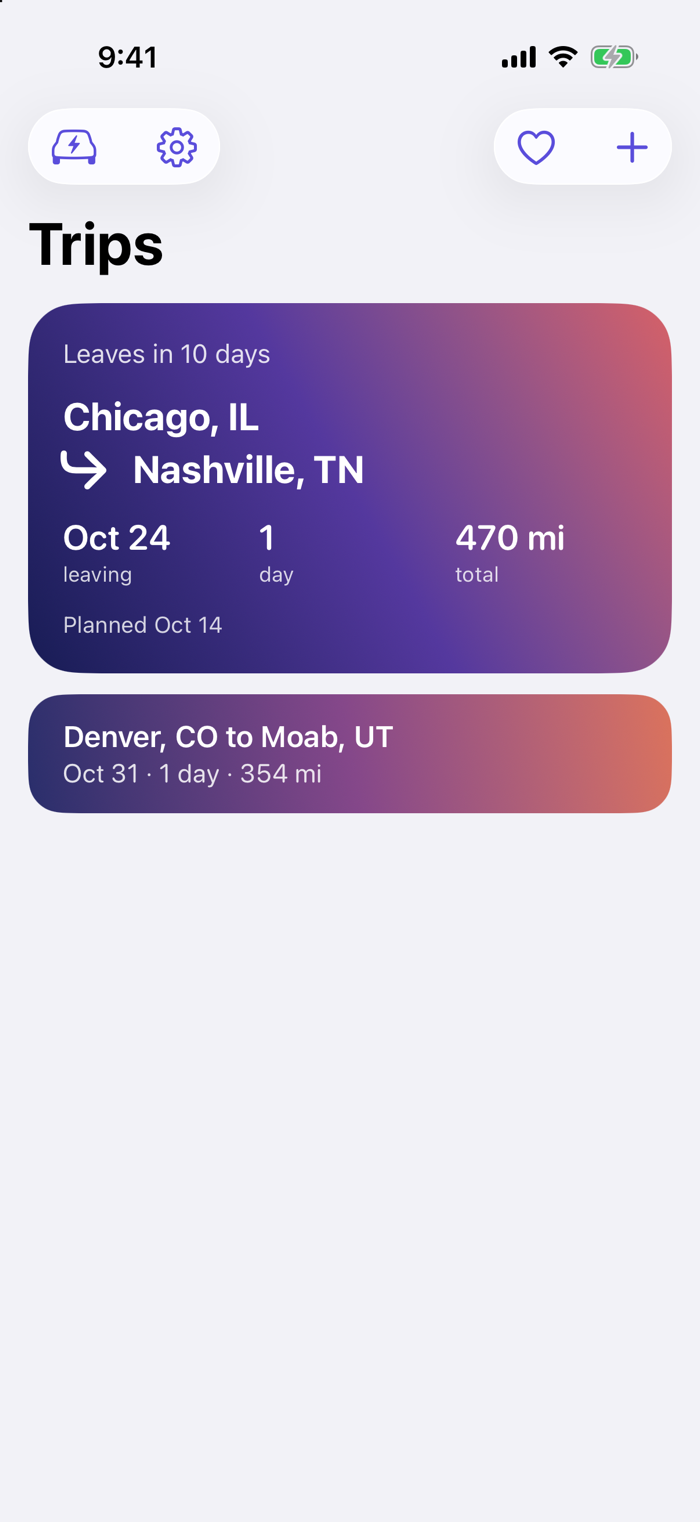
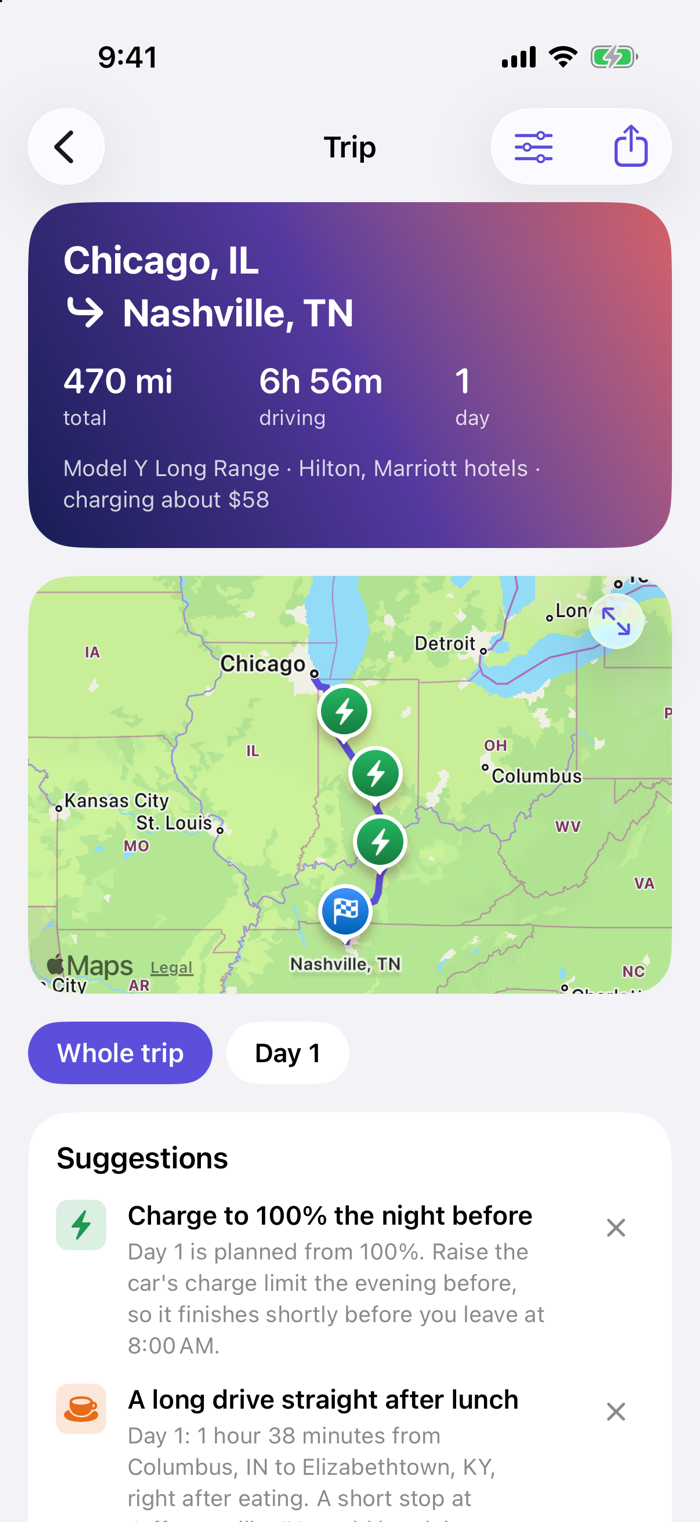
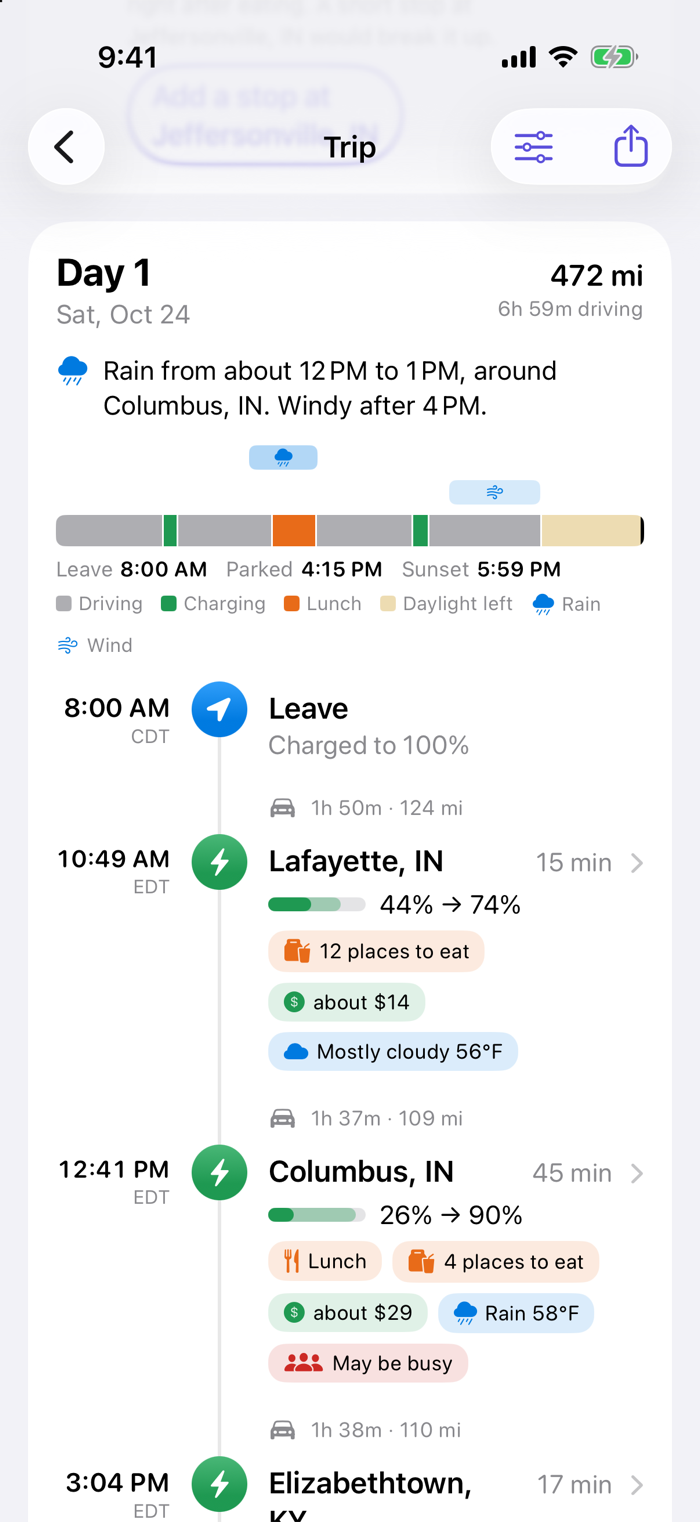
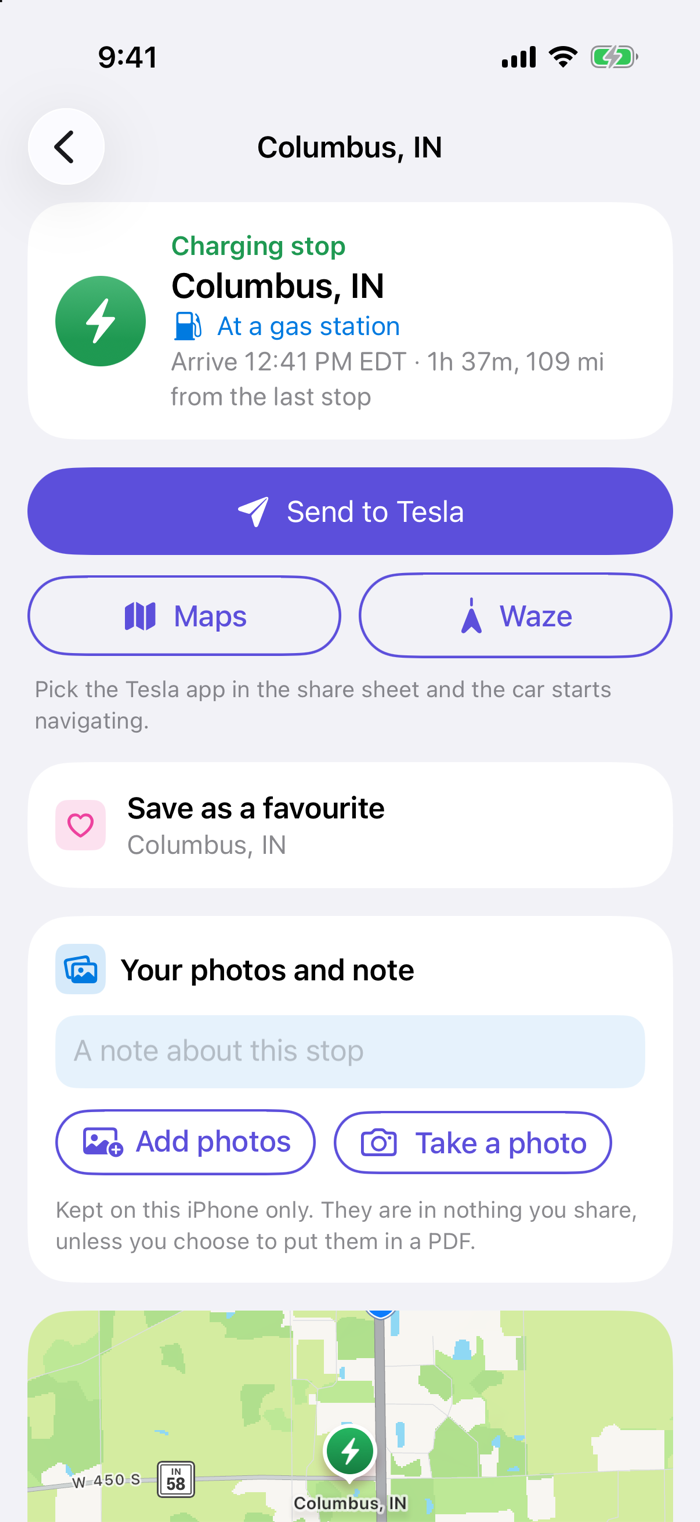
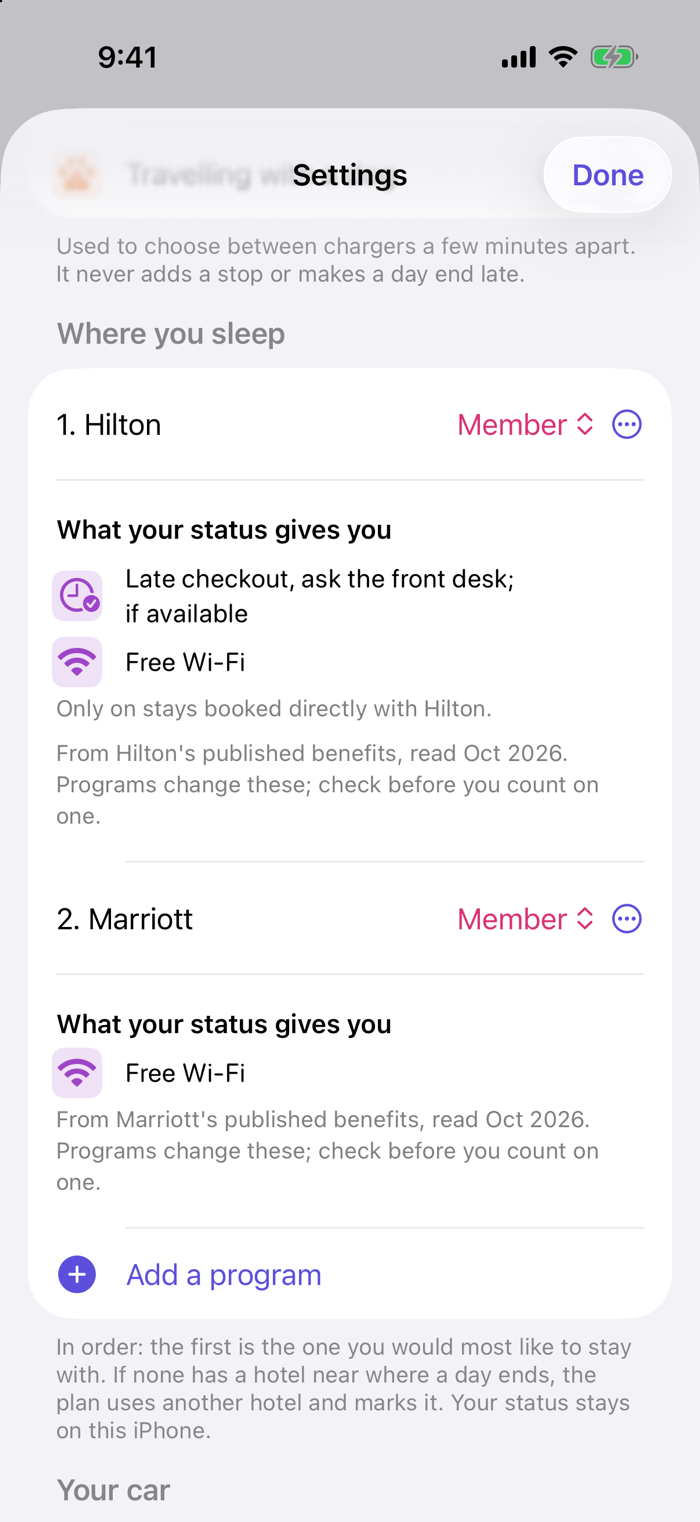
Screenshots from the iPhone app. Times, charge and weather shown are the app's estimates for a sample trip.
JuiceRoute for iPhone
Multi-day EV road trip planner
What It Does
- Plans every charge, break, meal and overnight
- Round trips, with your nights away in between
- Travelling with a dog? Stops with room to walk
- Prices where they are published, an estimate where not
- Favourite places with your own notes
- Photos and a note on any stop
- Reminders to charge the night before and leave on time
- Add the trip to your calendar, or share it as a PDF
Requirements
- iPhone: iOS 26 or later
- Car: a Tesla
- Where: the United States and Canada
- Account: none needed
The Car Navigates; JuiceRoute Plans
Times, charge levels and prices are estimates. Check before you rely on them, and never use the app while driving. JuiceRoute is not affiliated with Tesla, Inc.
Free to Plan
Planning is free and unlimited. Connected is optional.
JuiceRoute Connected
Connected links the app to your own Tesla, so plans start from your car's real charge and you can see free stalls at Superchargers ahead.
- Yearly: $39.99, with a 7-day free trial
- Monthly: $4.99
- 30-day trip pass: $6.99, does not renew
Payment is charged to your Apple Account. Yearly and monthly subscriptions renew automatically unless cancelled at least 24 hours before the end of the period. Manage or cancel in Settings > Apple Account > Subscriptions. See the Terms of Service.
App Store
JuiceRoute for iPhone. Requires iOS 26 or later.
Coming soon to the App StoreFrequently Asked Questions
Can't find your answer? Write to [email protected].
Is JuiceRoute free?
Yes. Planning trips is free and unlimited. Connected, which links the app to your Tesla, is an optional paid extra.
Do I need an account, or Connected?
No. There is no account to create, and every planning feature works without Connected.
Does JuiceRoute navigate?
No. JuiceRoute plans the trip; your car navigates. Use the car's own navigation on the road, and don't use the app while driving.
Where does it work?
In the United States and Canada, where the app has its list of Tesla chargers.
Why is the charge or time in the app different from my car?
Times, charge levels, prices and weather in JuiceRoute are estimates made before you leave. Traffic, speed, weather and the car itself all change the real numbers. Trust your car on the road.
Where are my trips kept?
On your iPhone, and in your own iCloud if you sync. We have no copy of them. See Your Data for everything the app keeps and how to delete it.
How do I cancel Connected, or get a refund?
Subscriptions are sold and managed by Apple. Cancel in Settings > Apple Account > Subscriptions on your iPhone, at least 24 hours before the end of the period. Refunds are handled by Apple; ask Apple through "Report a Problem" on Apple's website.
What is the monthly allowance?
Connected includes 1,000 readings from your car and 50 wakes a month. If it runs out, the app stops asking your car until the next month; planning keeps working.
How do I disconnect my Tesla?
Tap "Sign out of Tesla" in the app. It deletes the sign-in, the chosen car and everything the car reported from your iPhone. You can also remove JuiceRoute's access at any time on Tesla's page for the apps you have given access to.
How do I send feedback or report a problem?
Tap "Send feedback" at the foot of Settings in the app, or write to [email protected]. Tell us your iPhone model, the app version, and what happened.
Need Help?
Have a question about JuiceRoute, or found something that doesn't look right? Write to us and we'll help.
[email protected]Read our Privacy Policy, Terms of Service and Your Data.